-
Home
-
How To Register And Participate
How To Register And Participate
 How To Register and Participate
- Register an account
Create an account at https://e-conference.unair.ac.id/index.php?r=site/login.
- Choose participation type & topic
Select whether you are joining as a General participant or Oral presenter. If you choose oral presentation, please also select your preferred topic/track.
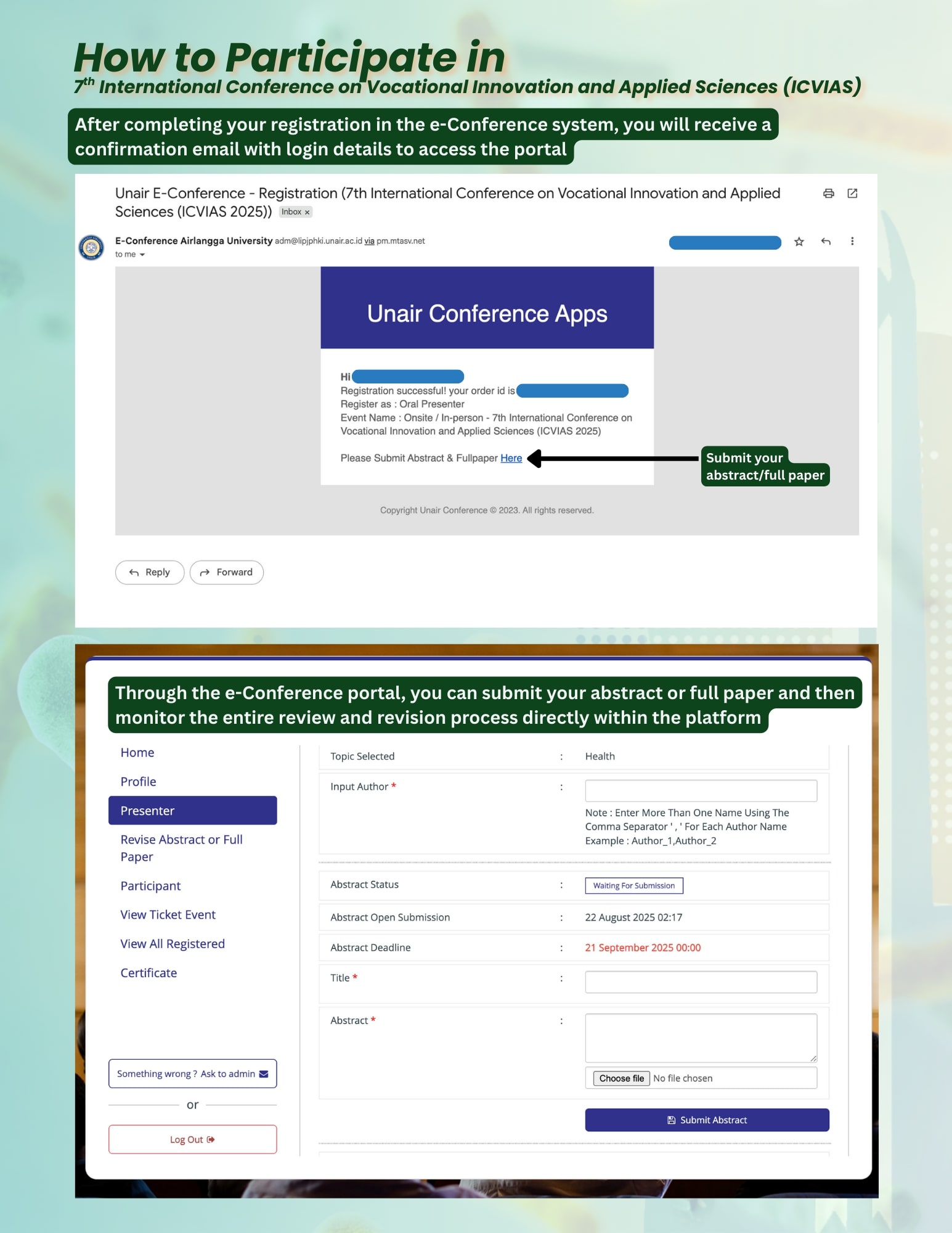
- Receive confirmation email
After registering, you will receive a confirmation email with login details to access the e-Conference portal.
- Submit your abstract/full paper
Inside the portal, you will find the submission form for both abstract and full paper.
- Track review & revisions
Once submitted, you can monitor the entire review and revision process directly through the platform.
- Presenter selection
Authors selected as presenters will receive a confirmation email and presentation schedule from the committee.
